Ledger.
Reviewing a few thousand transactions without hating it.
Running personal and business spend across a stack of cards means thousands of transactions a year, and none of the off-the-shelf tools let me tag them fast enough to keep up. This one is built for one person and optimized for speed, because the only version of this that works is the one I actually keep current.
Built around the keyboard
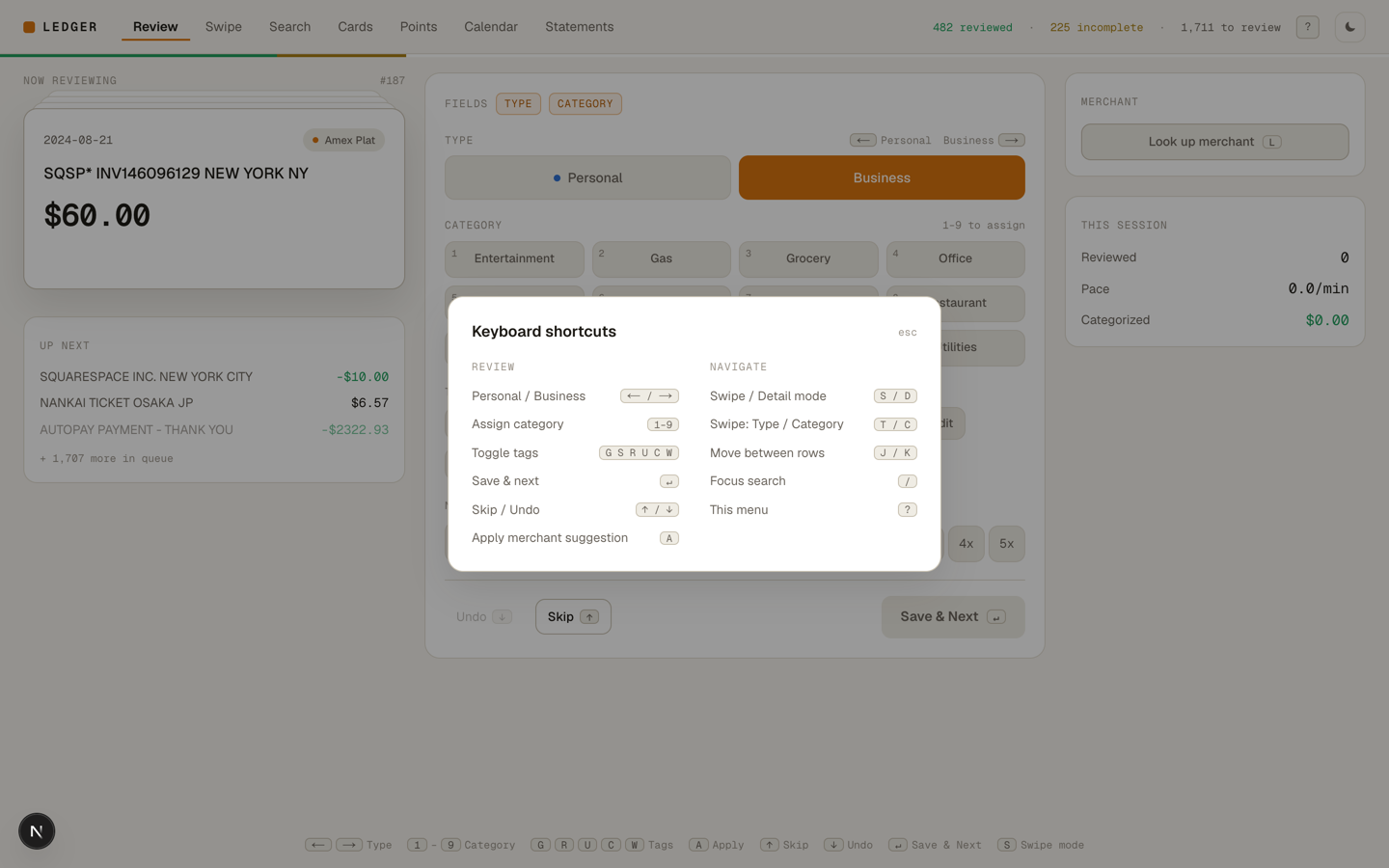
Review has two modes. Detail mode gives one transaction at a time with type, card, category, tags, notes, and a points multiplier, all reachable without touching the mouse: arrows for type, number keys for category, letters for tags, enter to save and advance. Swipe mode strips it down to a single field per card for when there is a backlog to burn through.
Statements in, transactions out
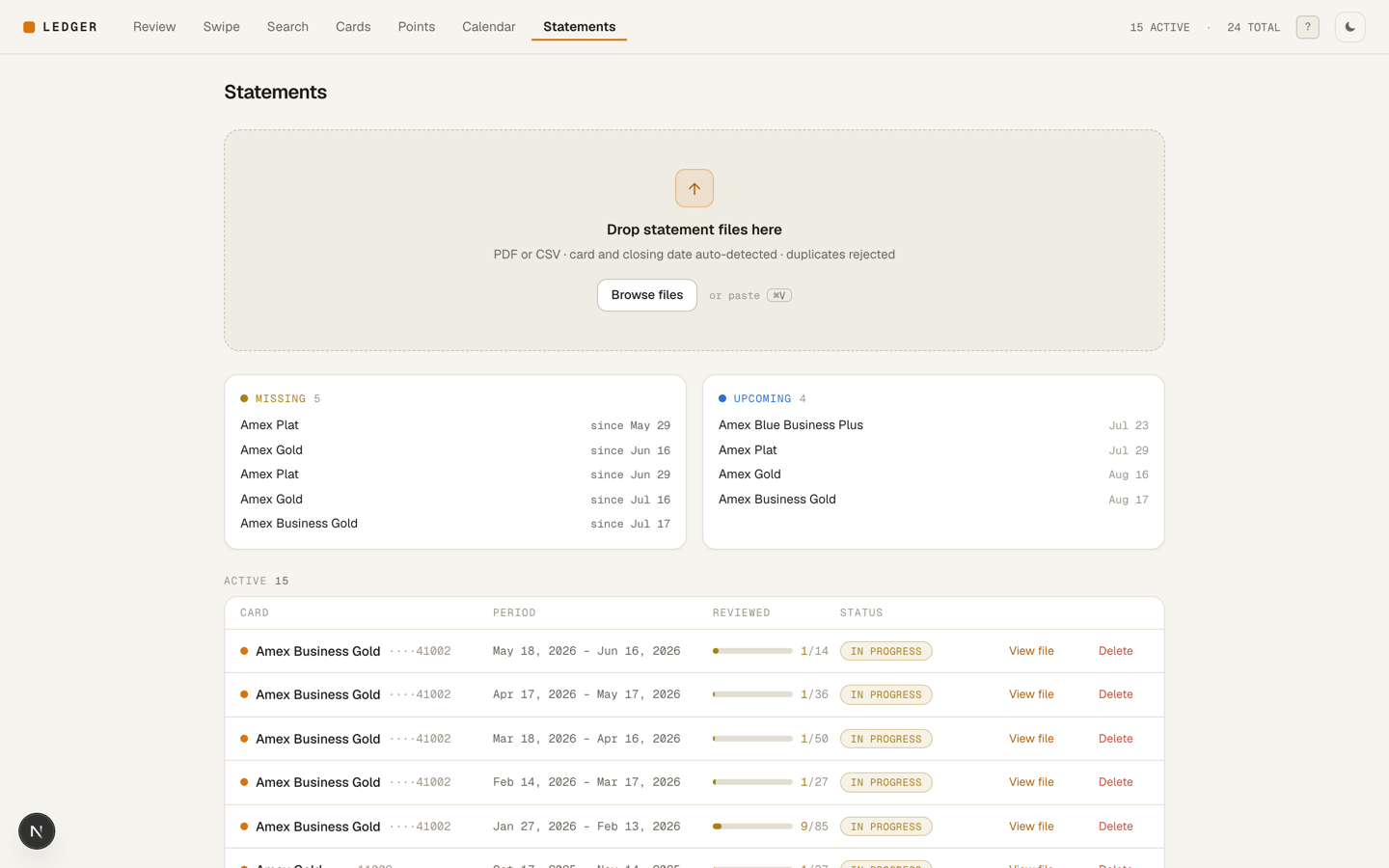
Drop in an Amex PDF or CSV and it parses the file, works out which card and closing date it belongs to, stores the original, and inserts the transactions. Re-importing the same statement doesn't duplicate anything. Refunds can be linked back to the original purchases they reverse, including the messy case where one credit reverses items from several different charges.
The rules that decide the next application
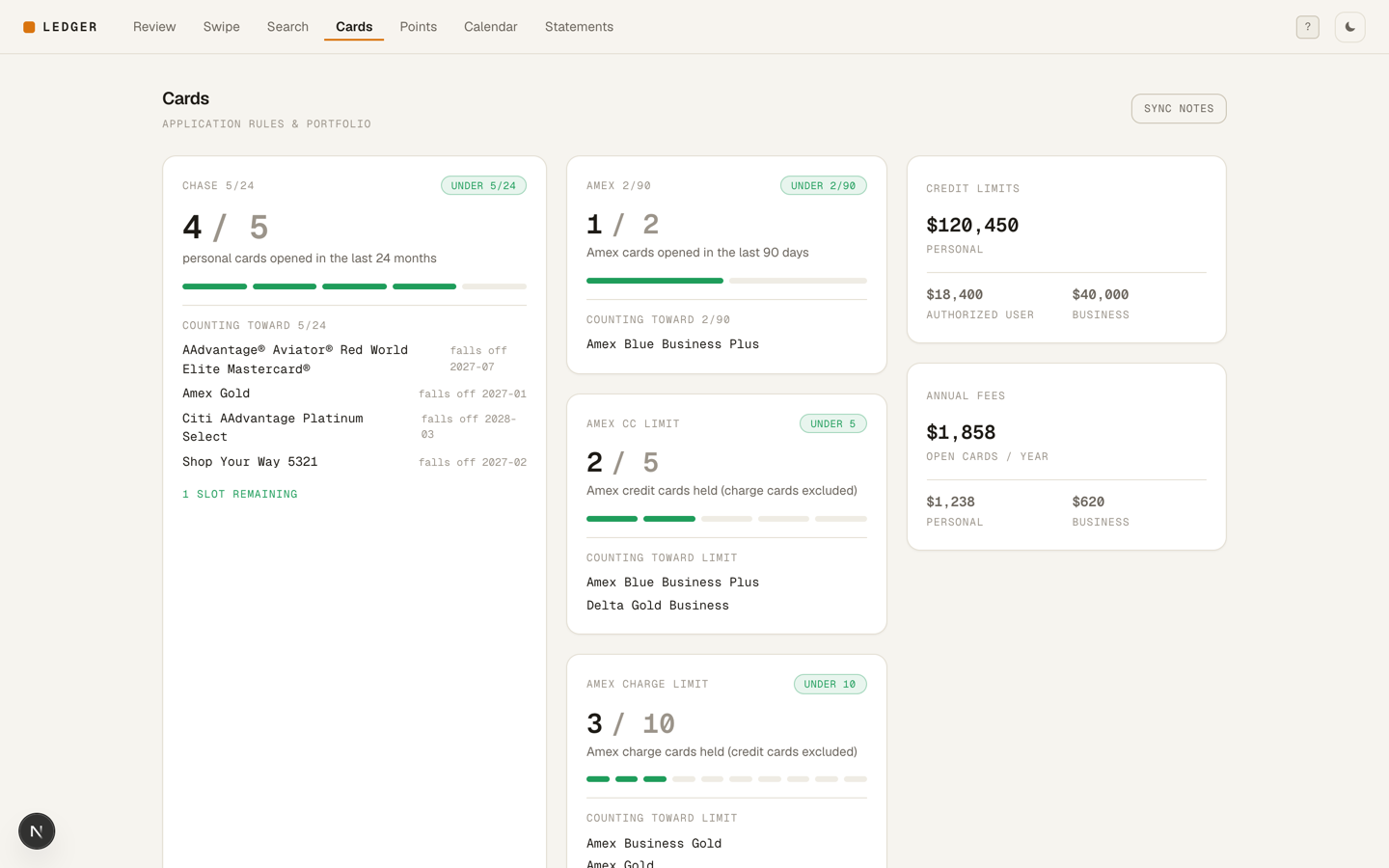
It computes Chase 5/24, Amex 2/90, and the Amex five-card limit from the portfolio itself rather than from a note somewhere, alongside total credit extended and what the annual fees add up to.
Credits that would otherwise expire
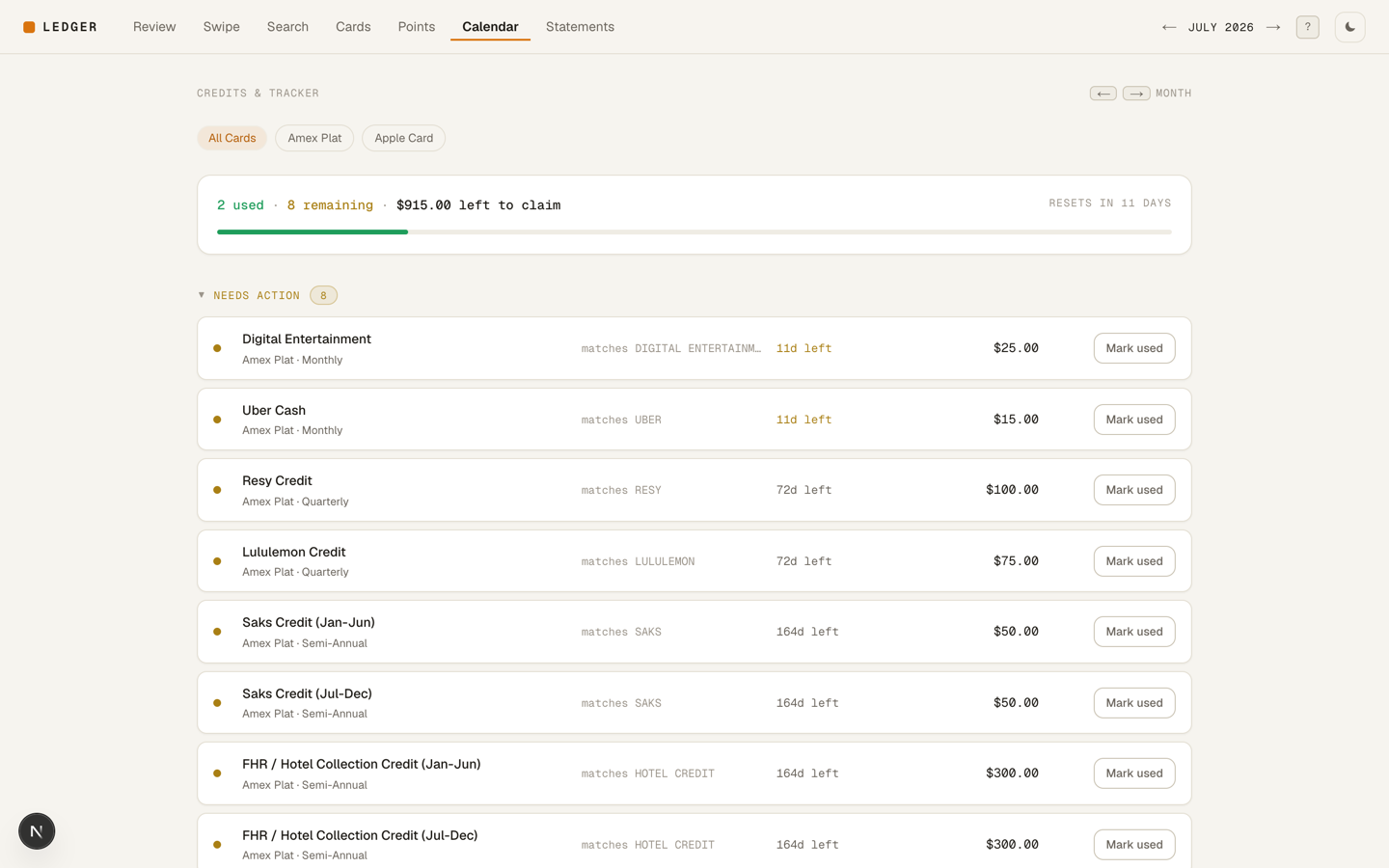
A calendar tracks recurring credits, subscriptions, and memberships on monthly through annual cadences, and marks them used by matching them against real transactions. Some credits never show up as a transaction, so there is a manual override for those rather than pretending the automation catches everything.
Single user and gated behind Cloudflare Access, since it is a complete picture of my finances.